> ## Documentation Index
> Fetch the complete documentation index at: https://docs.cfosilvia.com/llms.txt
> Use this file to discover all available pages before exploring further.
# Research
> Deep, cited research on stocks, funds, and financial topics.
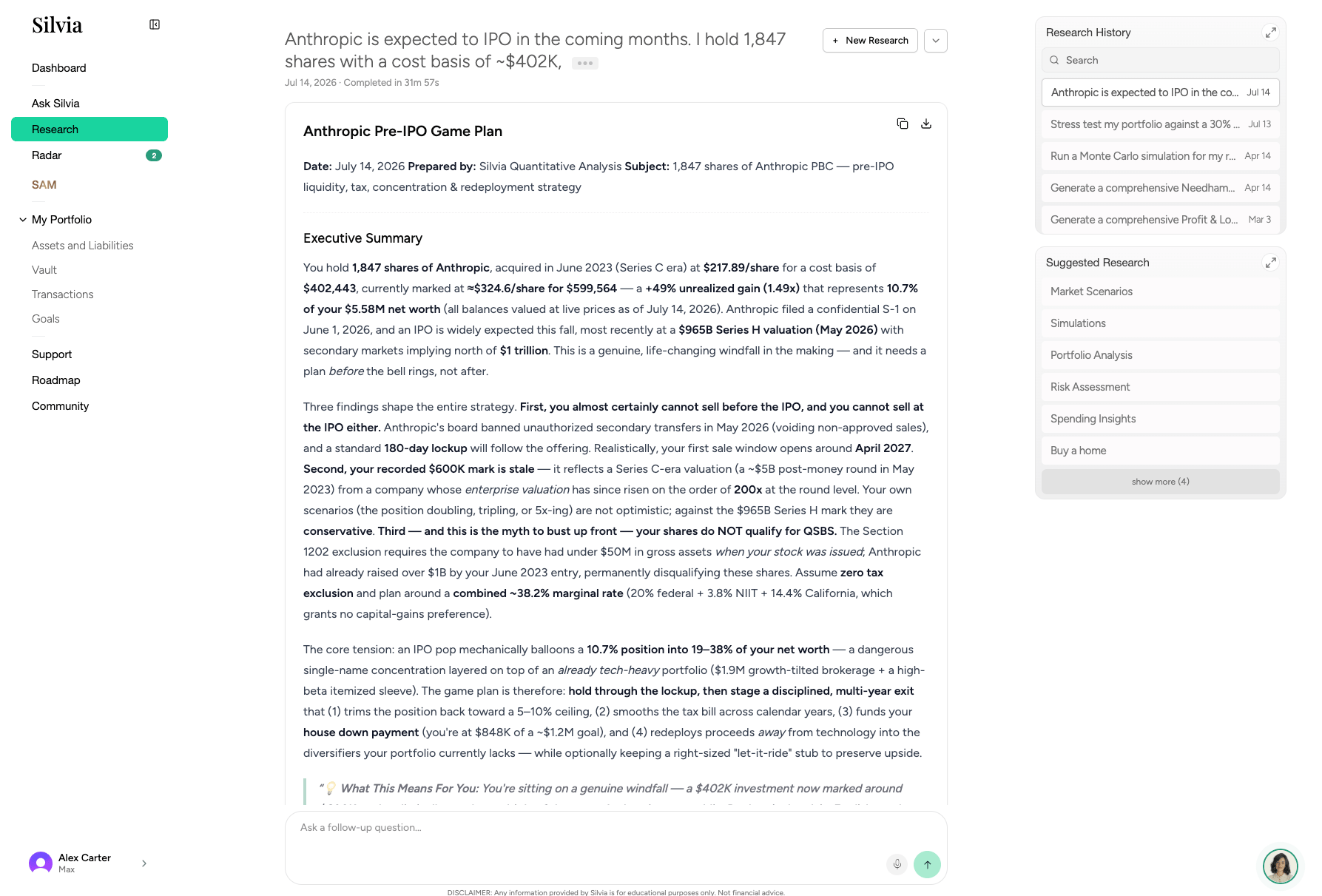
**Research** runs multi-step deep research using web sources, filings, and market data. Use it when you want a thorough answer instead of a quick chat reply.
 ## When to use Research vs. Ask Silvia
| Use Research for | Use Silvia for |
| - | - |
| "What are NVDA's key risk and valuation drivers through 2026?" | "How much NVDA do I own?" |
| Multi-source analysis on a company | Quick answers about your own data |
| Comparing funds, ETFs, or strategies | Categorizing a transaction |
## Running a research session
Click **Research** in the sidebar.
Type a specific question or topic. More specific prompts produce better reports.
Silvia searches, reads, and synthesizes sources. Reports typically take 2 to 5 minutes.
Reports include a summary, key findings, and cited sources. Save or share the report link.
## Session history
Past reports are stored in the left panel and can be revisited anytime.
## Related guides
* [Radar](/product-guide/radar)
* [Ask Silvia](/product-guide/ask-silvia)
* [Dashboard](/product-guide/dashboard)
This documentation is built and hosted on [Mintlify](https://mintlify.com), a developer documentation platform.
## When to use Research vs. Ask Silvia
| Use Research for | Use Silvia for |
| - | - |
| "What are NVDA's key risk and valuation drivers through 2026?" | "How much NVDA do I own?" |
| Multi-source analysis on a company | Quick answers about your own data |
| Comparing funds, ETFs, or strategies | Categorizing a transaction |
## Running a research session
Click **Research** in the sidebar.
Type a specific question or topic. More specific prompts produce better reports.
Silvia searches, reads, and synthesizes sources. Reports typically take 2 to 5 minutes.
Reports include a summary, key findings, and cited sources. Save or share the report link.
## Session history
Past reports are stored in the left panel and can be revisited anytime.
## Related guides
* [Radar](/product-guide/radar)
* [Ask Silvia](/product-guide/ask-silvia)
* [Dashboard](/product-guide/dashboard)
This documentation is built and hosted on [Mintlify](https://mintlify.com), a developer documentation platform.