> ## Documentation Index
> Fetch the complete documentation index at: https://docs.cfosilvia.com/llms.txt
> Use this file to discover all available pages before exploring further.
# Radar
> Proactive alerts about the news, earnings, and events that matter to your portfolio.
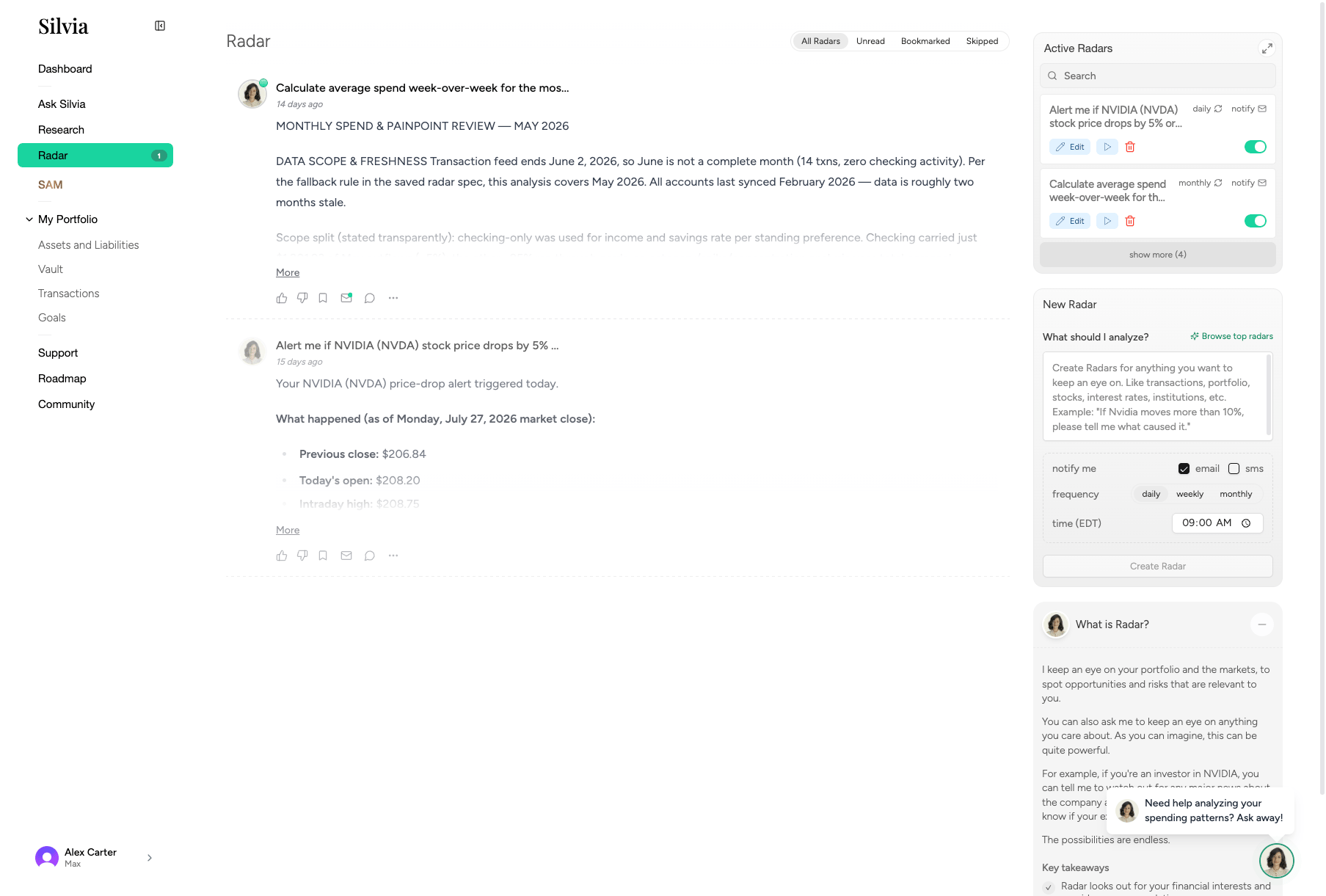
**Radar** watches the market and your accounts, then surfaces the things you should know about.
 ## What Radar tracks
* **Earnings** for companies you hold
* **Breaking news** relevant to your positions
* **Portfolio events** like large price moves or account changes
* **Subscriptions and bills** that increase unexpectedly
* **Cash flow** anomalies
## Notification badge
The Radar sidebar item shows a badge when there are new items. Click it to open the feed.
## Reading your Radar feed
Click **Radar** in the sidebar.
Items are ordered by relevance and recency, grouped by type.
Click any item to see the full source, related holdings, and suggested actions.
## Managing Radar alerts
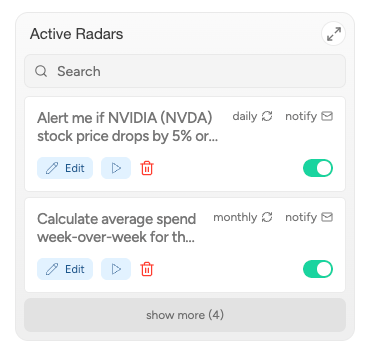
You can control what Radar watches from the right-hand **Schedules** panel: earnings, news categories, price triggers, and more.
## What Radar tracks
* **Earnings** for companies you hold
* **Breaking news** relevant to your positions
* **Portfolio events** like large price moves or account changes
* **Subscriptions and bills** that increase unexpectedly
* **Cash flow** anomalies
## Notification badge
The Radar sidebar item shows a badge when there are new items. Click it to open the feed.
## Reading your Radar feed
Click **Radar** in the sidebar.
Items are ordered by relevance and recency, grouped by type.
Click any item to see the full source, related holdings, and suggested actions.
## Managing Radar alerts
You can control what Radar watches from the right-hand **Schedules** panel: earnings, news categories, price triggers, and more.
 ## Related guides
* [Research](/product-guide/research)
* [Dashboard](/product-guide/dashboard)
* [Transactions](/product-guide/portfolio/transactions)
This documentation is built and hosted on [Mintlify](https://mintlify.com), a developer documentation platform.
## Related guides
* [Research](/product-guide/research)
* [Dashboard](/product-guide/dashboard)
* [Transactions](/product-guide/portfolio/transactions)
This documentation is built and hosted on [Mintlify](https://mintlify.com), a developer documentation platform.