> ## Documentation Index
> Fetch the complete documentation index at: https://docs.cfosilvia.com/llms.txt
> Use this file to discover all available pages before exploring further.
# Vault
> Securely store financial documents, statements, and records.
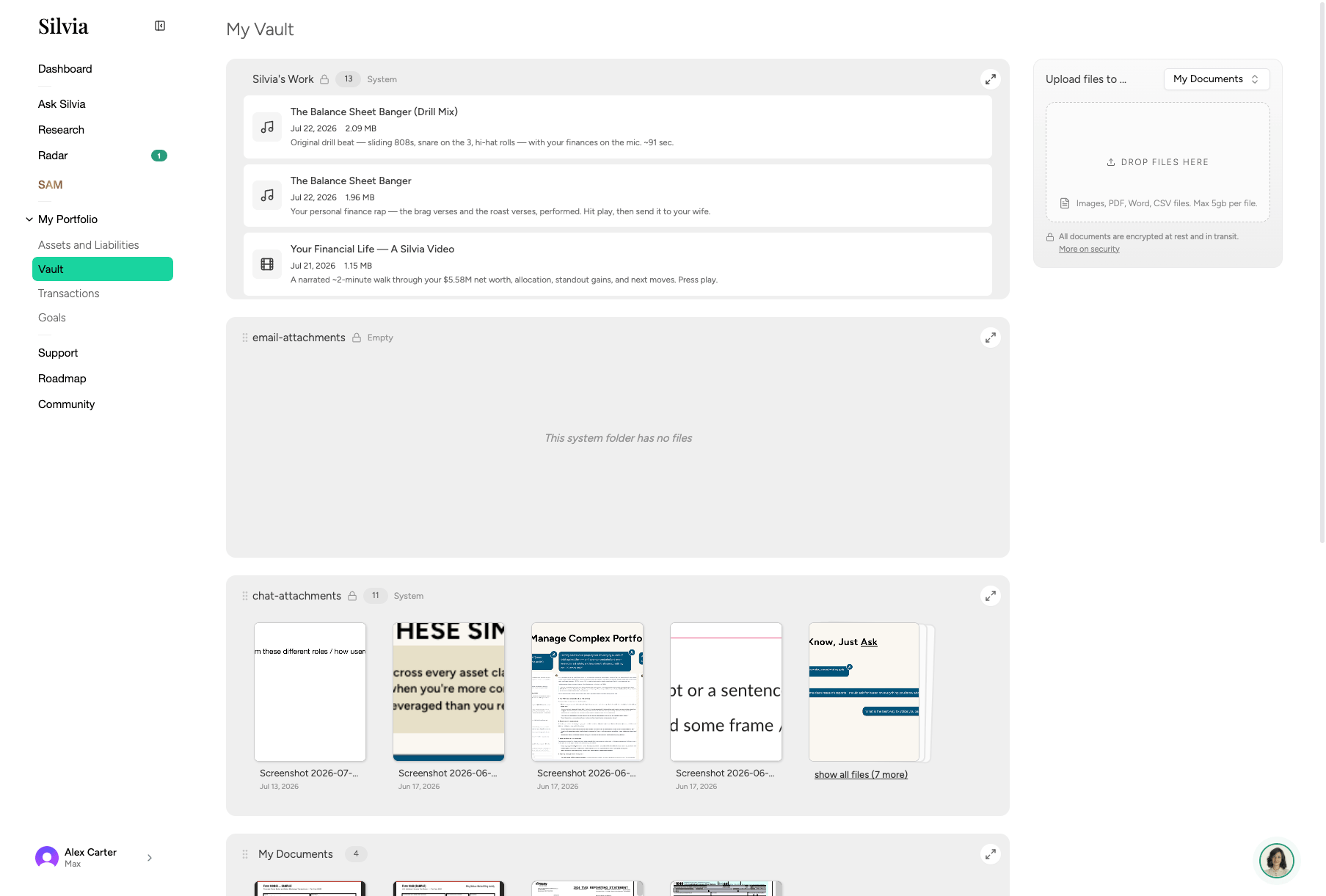
The **Vault** is where you keep important financial documents so Silvia can reference them and you can find them fast. It also will store all of the work and output Silvia created for you.
 ## What to store
* Account statements
* Tax returns and W-2s
* Insurance policies
* Estate documents (wills, trusts)
* Property records (deeds, titles)
* Purchase receipts for large assets
## Uploading files
Click **Vault** in the sidebar.
Drag files into the upload area or click **Upload** and select files. PDF, PNG, JPG, and common document types are supported.
Add tags (e.g. `2024-tax`, `insurance`) so files are easy to find later.
## Using Vault with Ask Silvia
Silvia can read documents you've uploaded. Try:
* "Summarize my 2024 tax return."
* "What's my auto insurance deductible?"
* "Extract line items from my December brokerage statement."
Files in the Vault are encrypted at rest and only accessible to your account.
This documentation is built and hosted on [Mintlify](https://mintlify.com), a developer documentation platform.
## What to store
* Account statements
* Tax returns and W-2s
* Insurance policies
* Estate documents (wills, trusts)
* Property records (deeds, titles)
* Purchase receipts for large assets
## Uploading files
Click **Vault** in the sidebar.
Drag files into the upload area or click **Upload** and select files. PDF, PNG, JPG, and common document types are supported.
Add tags (e.g. `2024-tax`, `insurance`) so files are easy to find later.
## Using Vault with Ask Silvia
Silvia can read documents you've uploaded. Try:
* "Summarize my 2024 tax return."
* "What's my auto insurance deductible?"
* "Extract line items from my December brokerage statement."
Files in the Vault are encrypted at rest and only accessible to your account.
This documentation is built and hosted on [Mintlify](https://mintlify.com), a developer documentation platform.