> ## Documentation Index
> Fetch the complete documentation index at: https://docs.cfosilvia.com/llms.txt
> Use this file to discover all available pages before exploring further.
# Assets and Liabilities
> A complete view of what you own and what you owe.
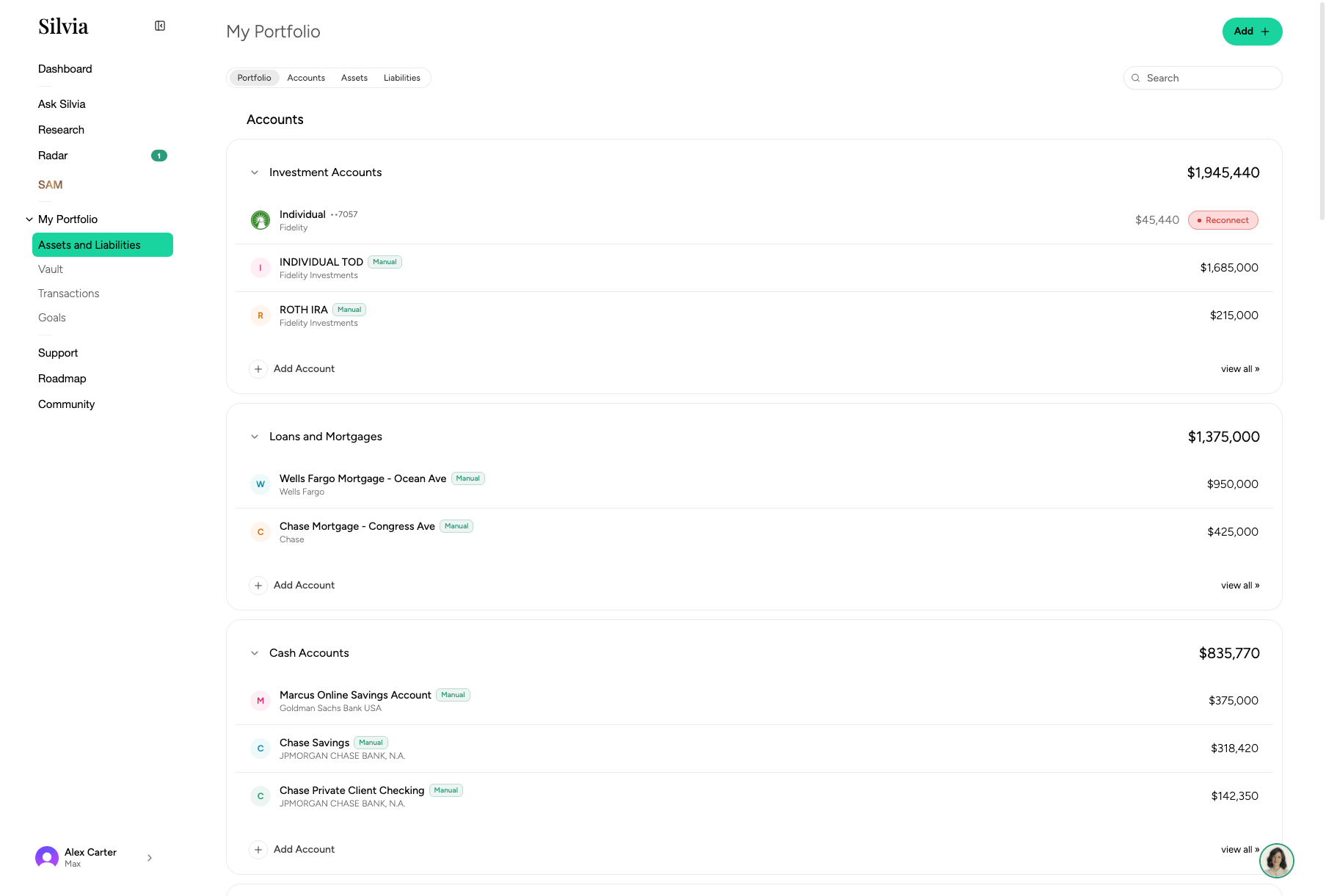
The **Assets and Liabilities** page lists every account and holding Silvia tracks, grouped by type.
 ## Layout
* **Header card**: Total assets, total liabilities, and net worth with a historical chart.
* **Sections**: Grouped by asset type (Public Investments, Crypto, Real Estate, Vehicles, Collectibles, Precious Metals, Private Investments, Other Assets, Liabilities).
* **Accounts**: Each account row shows balance, day change, and institution.
## Adding an account or asset
Use the **Add** button in the toolbar or in an empty section.
Select **Connect via Plaid** (banks, cards, brokerages), **SnapTrade** (brokerages Plaid doesn't cover), or **Add manually** (for real estate, vehicles, collectibles, etc.).
Complete the connection or fill in the manual form.
## Filtering and grouping
Use the toolbar to filter by type, tag, or account, and to switch between grouped and flat views.
## Drilling into a section
Click any section header (e.g. **Public Investments**) to open its detail page with a chart, allocation breakdown, activity log, and full holdings list.
See each asset type page under [Asset Types](/product-guide/assets/public-investments) for details.
This documentation is built and hosted on [Mintlify](https://mintlify.com), a developer documentation platform.
## Layout
* **Header card**: Total assets, total liabilities, and net worth with a historical chart.
* **Sections**: Grouped by asset type (Public Investments, Crypto, Real Estate, Vehicles, Collectibles, Precious Metals, Private Investments, Other Assets, Liabilities).
* **Accounts**: Each account row shows balance, day change, and institution.
## Adding an account or asset
Use the **Add** button in the toolbar or in an empty section.
Select **Connect via Plaid** (banks, cards, brokerages), **SnapTrade** (brokerages Plaid doesn't cover), or **Add manually** (for real estate, vehicles, collectibles, etc.).
Complete the connection or fill in the manual form.
## Filtering and grouping
Use the toolbar to filter by type, tag, or account, and to switch between grouped and flat views.
## Drilling into a section
Click any section header (e.g. **Public Investments**) to open its detail page with a chart, allocation breakdown, activity log, and full holdings list.
See each asset type page under [Asset Types](/product-guide/assets/public-investments) for details.
This documentation is built and hosted on [Mintlify](https://mintlify.com), a developer documentation platform.