> ## Documentation Index
> Fetch the complete documentation index at: https://docs.cfosilvia.com/llms.txt
> Use this file to discover all available pages before exploring further.
# Ask Silvia
> Chat with your AI CFO about your money, portfolio, and financial plans.
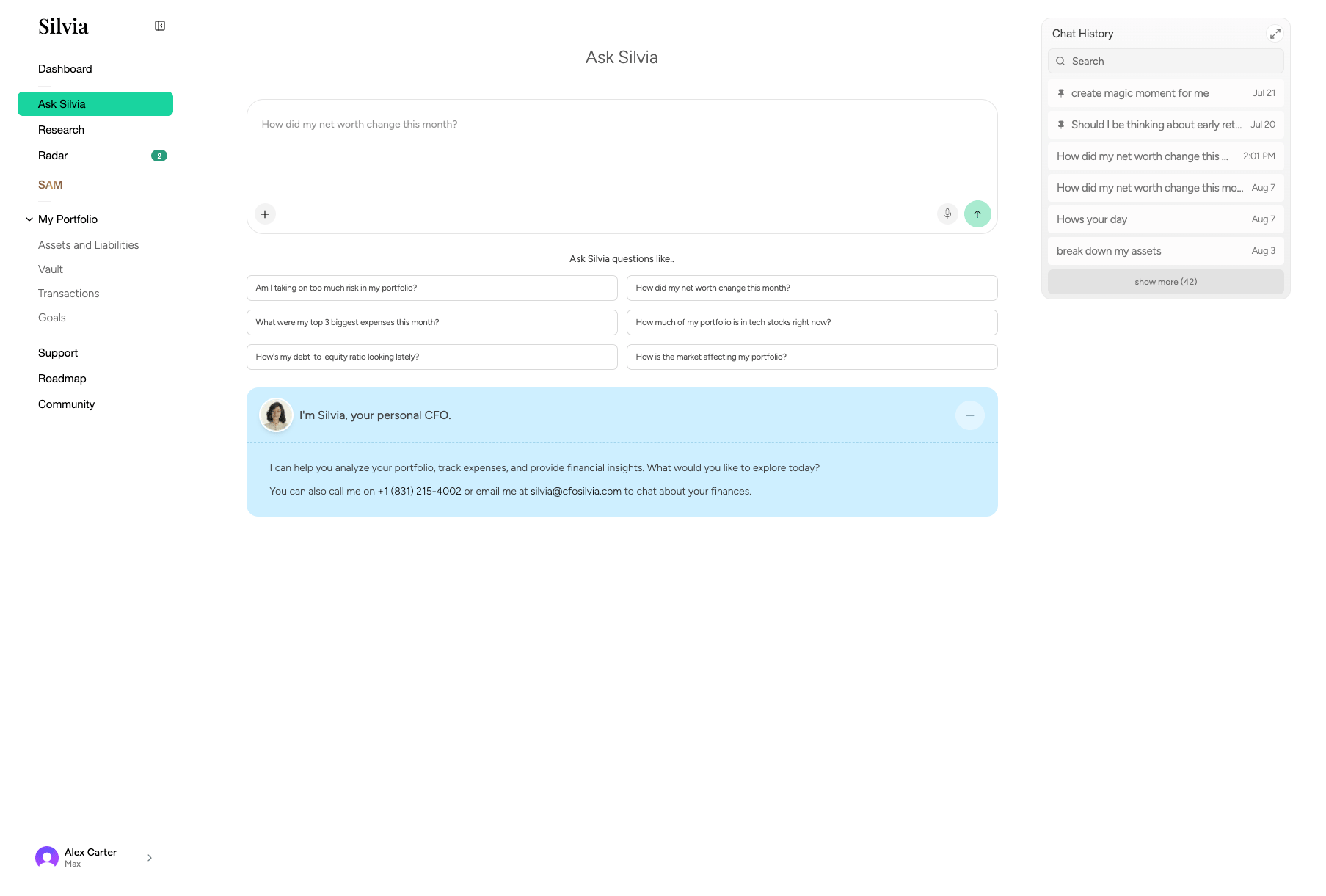
**Ask Silvia** is a conversational assistant that has full context on your connected accounts, holdings, and financial goals.
 ## What you can ask
* "How much did I spend on dining last month?"
* "What's my current asset allocation?"
* "Am I on track to hit my retirement goal?"
* "Compare my Vanguard and Fidelity brokerage returns YTD."
* "Summarize my subscriptions and flag anything unusual."
## How it works
Click **Ask Silvia** in the sidebar or use the search bar at the top of any page.
## What you can ask
* "How much did I spend on dining last month?"
* "What's my current asset allocation?"
* "Am I on track to hit my retirement goal?"
* "Compare my Vanguard and Fidelity brokerage returns YTD."
* "Summarize my subscriptions and flag anything unusual."
## How it works
Click **Ask Silvia** in the sidebar or use the search bar at the top of any page.
Type in natural language. Silvia can reference your real financial data.
 Answers include citations to specific accounts, transactions, or holdings.
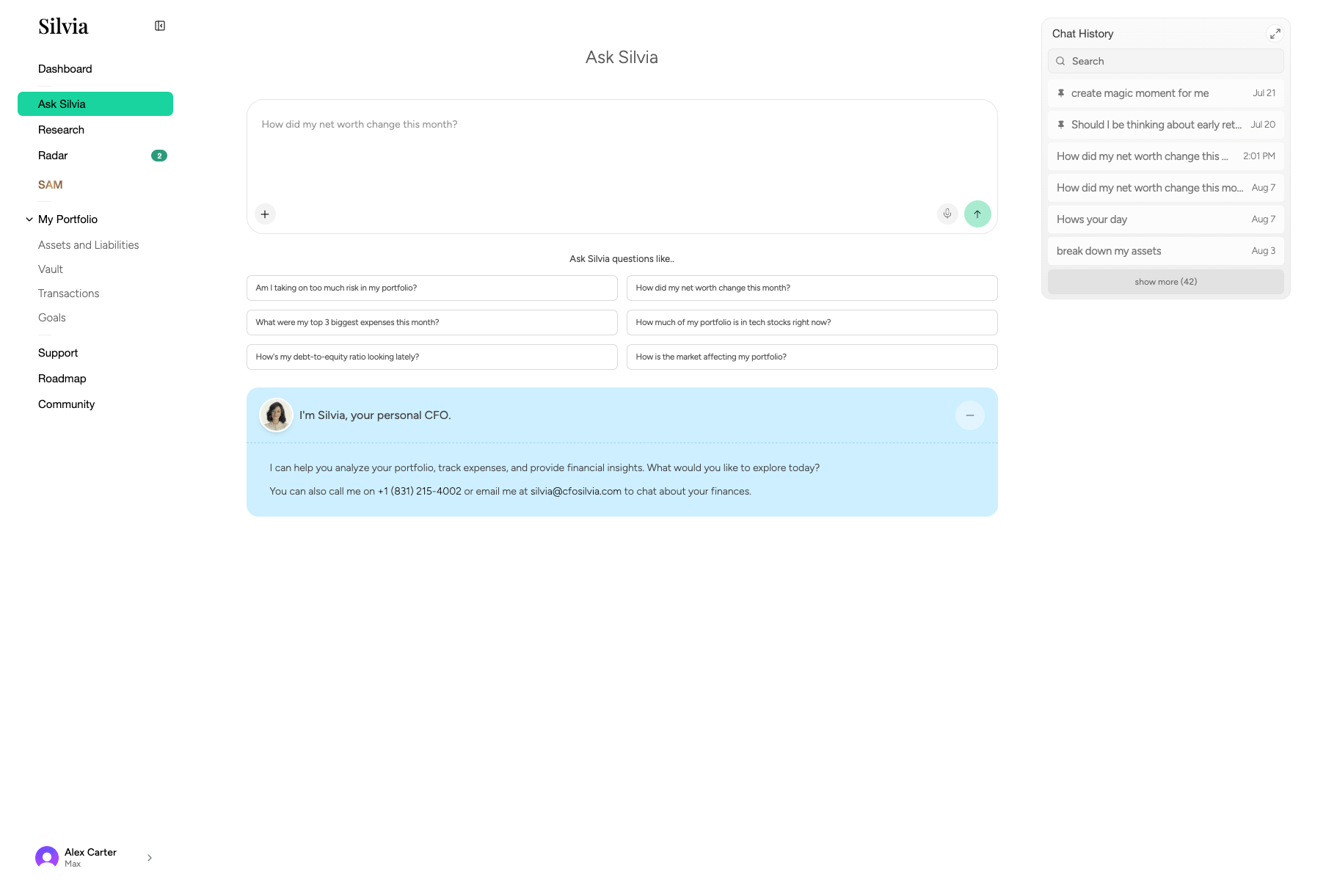 Ask follow-ups or request charts, summaries, or exports.
## Chat sessions
All chats are saved in the left panel of the Ask Silvia page. You can:
* Rename sessions
* Delete sessions
* Continue any past conversation
Silvia's answers about your finances are for informational purposes only and are not investment, tax, or legal advice.
## Related guides
* [Dashboard](/product-guide/dashboard)
* [Research](/product-guide/research)
* [Goals](/product-guide/portfolio/goals)
This documentation is built and hosted on [Mintlify](https://mintlify.com), a developer documentation platform.
Ask follow-ups or request charts, summaries, or exports.
## Chat sessions
All chats are saved in the left panel of the Ask Silvia page. You can:
* Rename sessions
* Delete sessions
* Continue any past conversation
Silvia's answers about your finances are for informational purposes only and are not investment, tax, or legal advice.
## Related guides
* [Dashboard](/product-guide/dashboard)
* [Research](/product-guide/research)
* [Goals](/product-guide/portfolio/goals)
This documentation is built and hosted on [Mintlify](https://mintlify.com), a developer documentation platform.